


Read a PDF. Ask about it.
Folio is a small PDF reader for Mac with ChatGPT beside the page. Select a passage, ask about it with the page number attached, and keep reading.
For macOS 26 and later. Uses your own ChatGPT account. Not affiliated with OpenAI.
Ask about a passage#
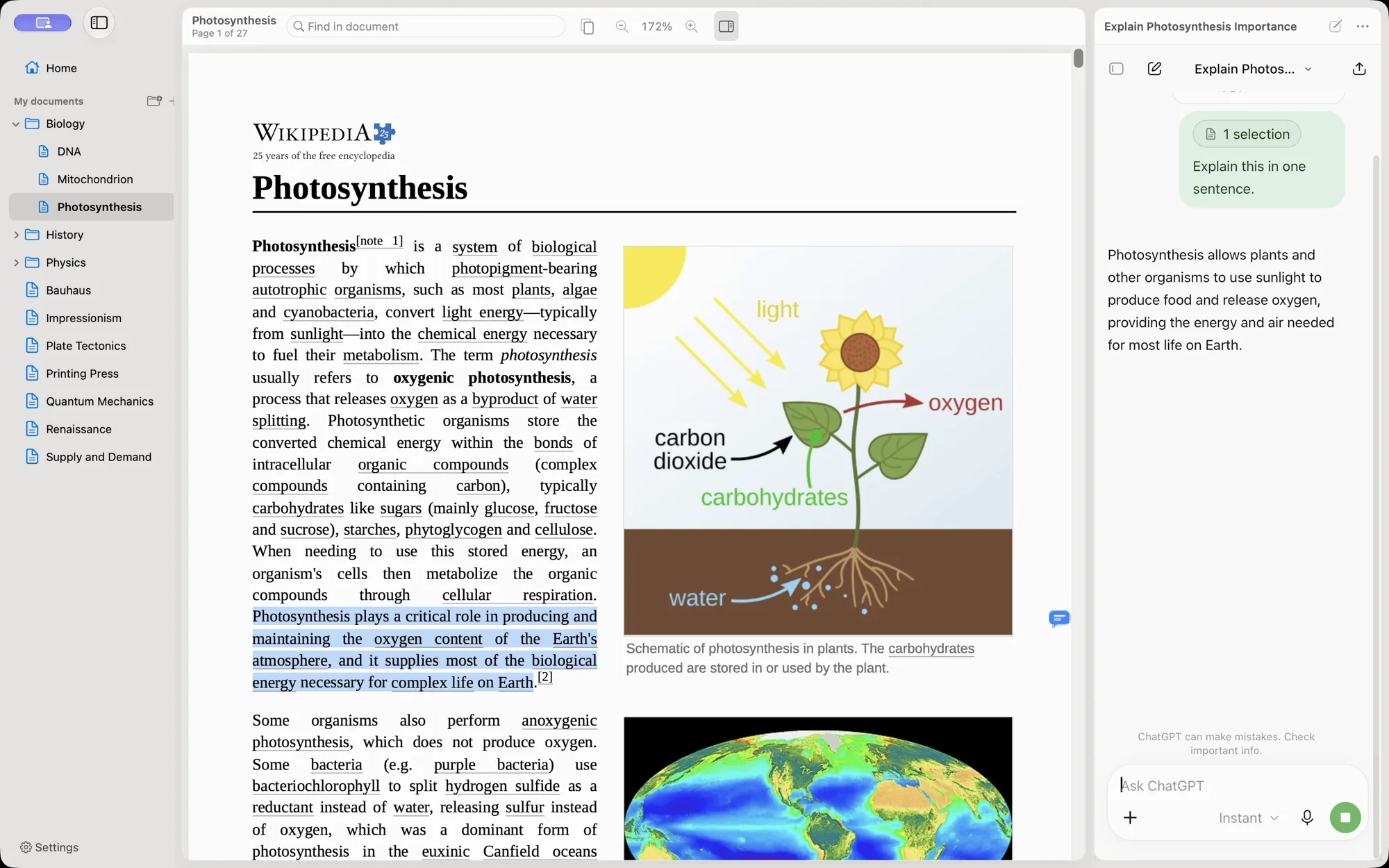
Select text in the PDF and press ⌘L. The passage waits as a chip above the message box, labeled with the document and page. Type your question and send it yourself. Folio never sends a message for you.
Ask about a whole page#
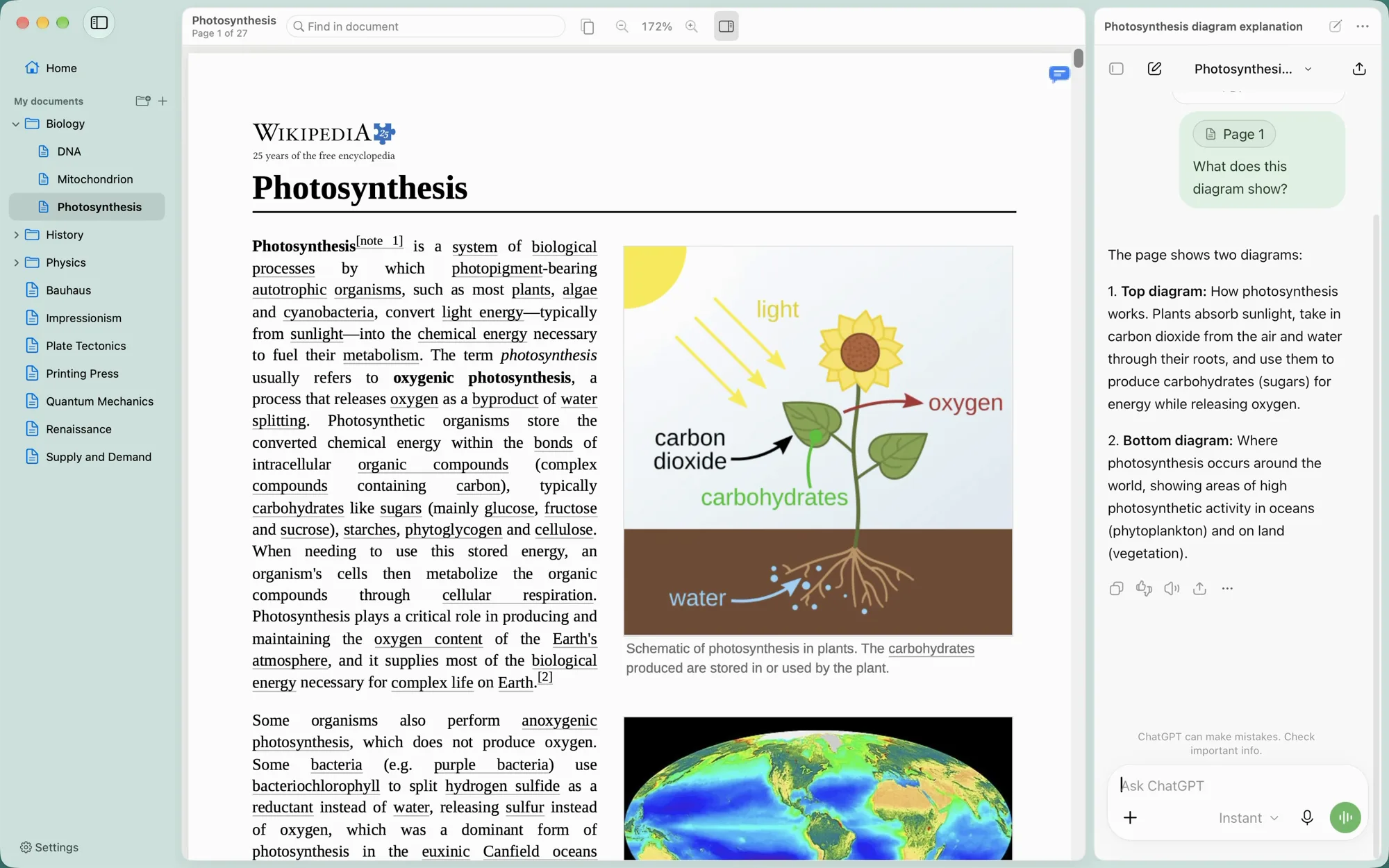
When the answer depends on a figure, a table or a formula, ask about the page instead. Folio adds an image of the page, so ChatGPT sees the layout and not just the text.
Find your questions again#
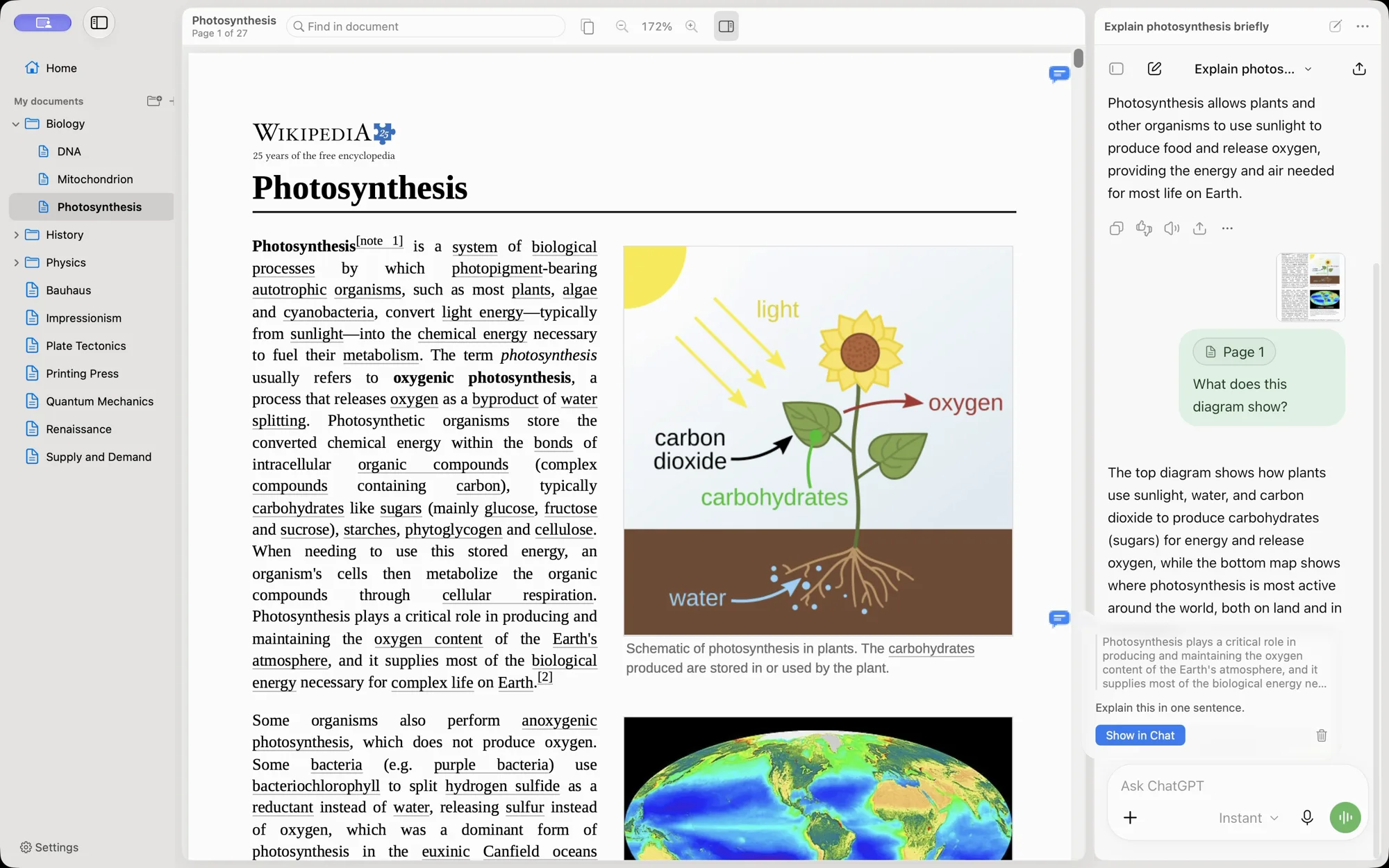
Pages you asked about get a small bubble in the margin. Click it to see what you asked and jump back to that question in the chat. Bubbles are drawn by Folio and never written into your PDF.
A folder, not a database#
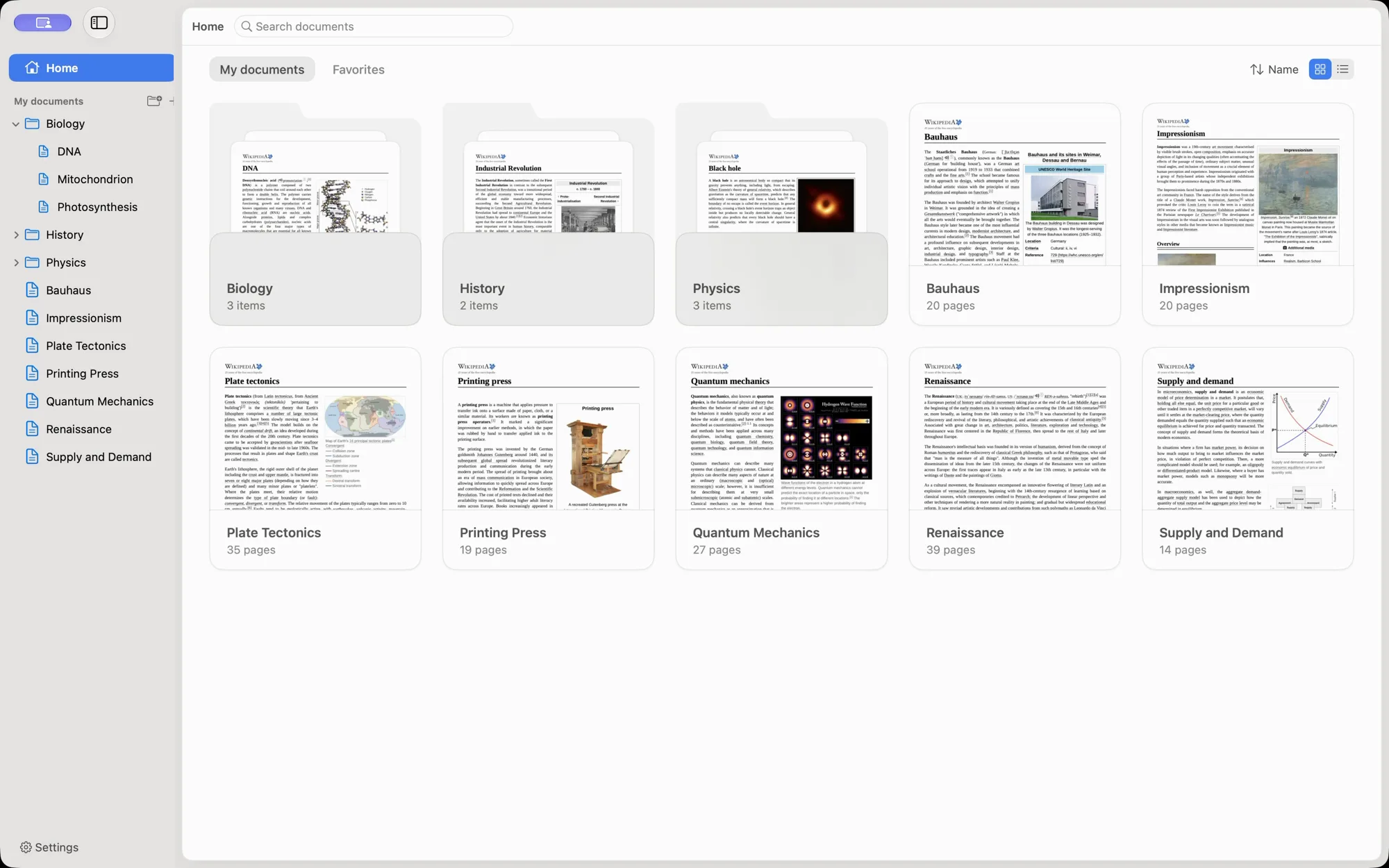
Your library is a plain folder, ~/Documents/Folio by default. Folders you make in Folio are folders in Finder. If you use Findle, your Moodle courses show up in the sidebar too.
A reader that stays out of the way#
Single page, continuous scroll, two pages or book mode, a thumbnail strip, find and zoom. Rotating only turns the view; the file on disk stays as it was.
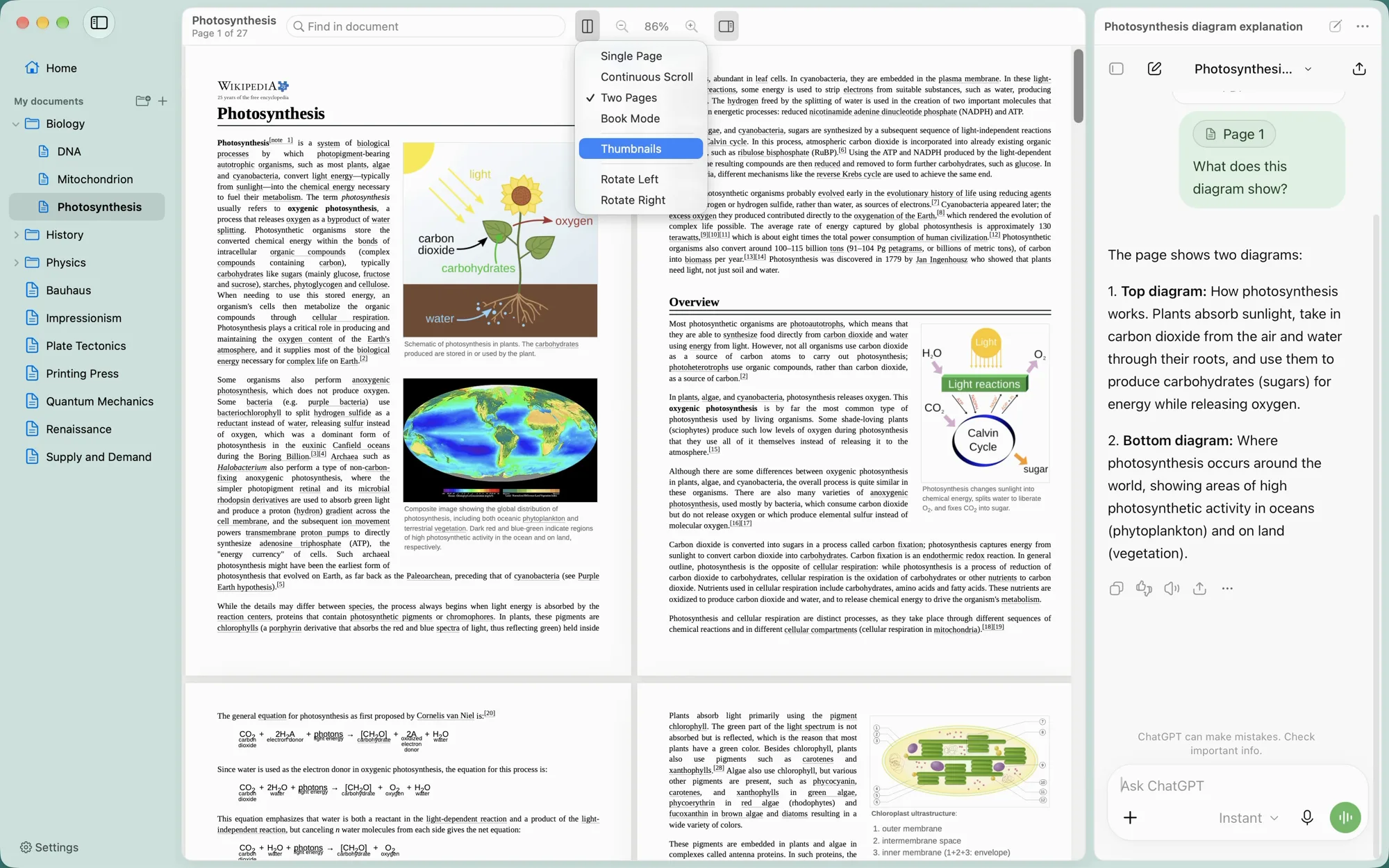
ChatGPT beside the page#
Folio shows chatgpt.com in a panel next to your PDF, signed in with your own ChatGPT account. Your plan, your chat history and your settings are the same ones you use in the browser.
- Your own account. Sign in once; Folio has no account of its own.
- You press Send. Folio fills the message box. Only your Return or your click sends.
- One upload per chat. Folio checks the conversation before attaching a PDF again.
- Up to four chats. Side by side or stacked, each with its own conversation.
- Small and native. Built with AppKit and PDFKit. Sparkle installs updates when you say so.
- English and Spanish. The app follows your Mac's language.
Start with one PDF#
Install Folio, sign in to ChatGPT, open a PDF, and ask about one paragraph. The troubleshooting guide covers sign-in, attachments, and changes on chatgpt.com.
Folio isn't affiliated with OpenAI. "ChatGPT" refers to the service you sign in to. You can read the code or build it yourself.